

Export to External Project Table
Description
Section titled “Description”Copies data from a table in the current project into a table in a different project. Useful when projects share reference data, when a consolidation project pulls from multiple operational projects, or when you want to hand off processed results to another team’s project.
Schema must be compatible between source and target. The target project must grant this project a Write data share.
Data Sharing Management
Section titled “Data Sharing Management”
Before you can export a table to another project, that project has to let this one write to it. Open the target project’s Home tab, and under Data Sharing Management click New Data Share, select this project, tick Write under Allowed Operations, and click Add Data Share. See Sharing Data Between Projects.
The step runs as this project’s own identity, so a run works through the share whoever starts it.
Export External Project Table
Section titled “Export External Project Table”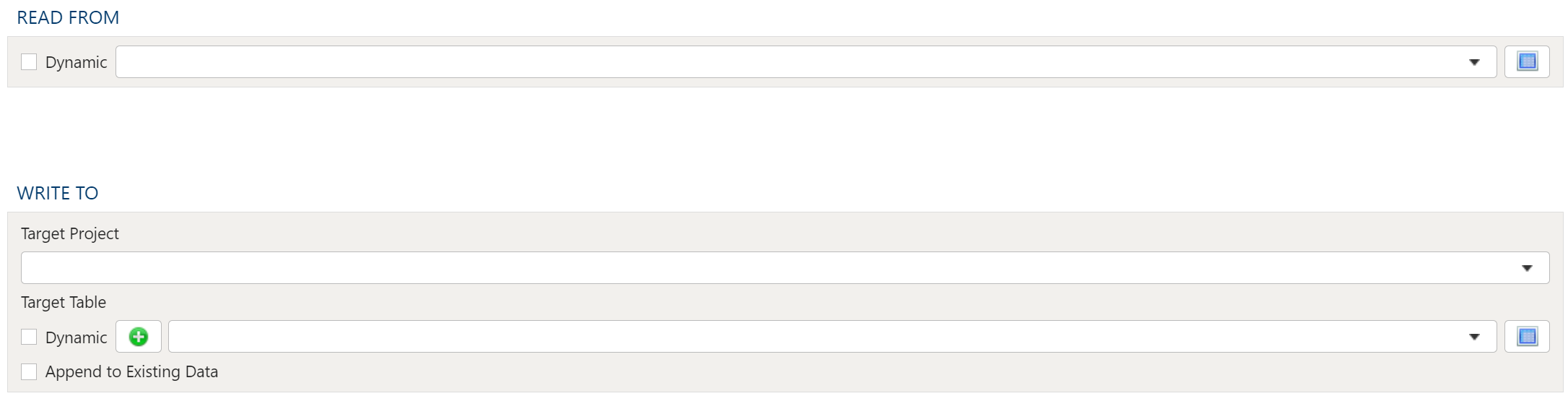
Read From
Section titled “Read From”Select the Source Table from the drop down menu.
Write To
Section titled “Write To”Target Project
Section titled “Target Project”Select the Target Project from the drop down menu.
Target Table Static
Section titled “Target Table Static”To establish the target table select either an existing table as the target table using the Target Table dropdown or click on the green “+” sign to create a new table as the target.
Table Creation
Section titled “Table Creation”When creating a new table you will have the option to either create it as a View or as a Table.
Views:
Section titled “Views:”Views are useful in that the time required for a step to execute is significantly less than when a table is used. The downside of views is they are not a useful for data exploration in the table Details mode.
Tables:
Section titled “Tables:”When using a table as the target a step will take longer to execute but data exploration in the Details mode is much quicker than with a view.
Target Table Dynamic
Section titled “Target Table Dynamic”The Dynamic option allows specification of a table using text, including variables. This is useful when employing variable driven workflows where table and view references are relative to the variables specified.
An example that uses the current_month variable to dynamically point to target table:
legal_entity/inputs/{current_month}/ledger_valuesAppend to Existing Data
Section titled “Append to Existing Data”To append the data from the source table to the target table select the Append to Existing Data check box.