

Dimension Functions for Expressions and Aggregations
Functions for Use in Dimension Hierarchy Expressions
Section titled “Functions for Use in Dimension Hierarchy Expressions”Within the Dimension Hierarchy screen it is possible to add ‘Aggregations’ and ‘Expressions’. A description for these is included below.
Aggregations
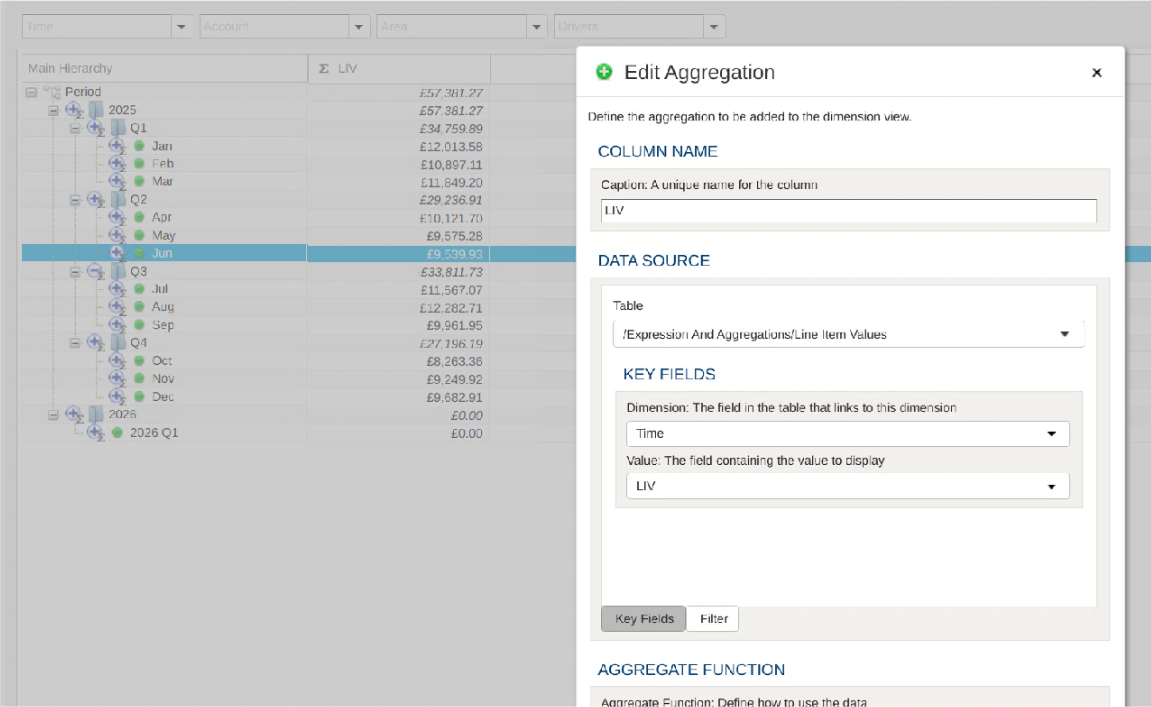
Section titled “Aggregations”An Aggregation is used to display an aggregated value from a table (which can be ‘Sum’, ‘Count’, ‘Min’ or ‘Max’) The following image shows an Aggregation that has been configured to pull values from a ‘Line Item Values’ table so that values can be displayed for each ‘Period’ in the hierarchy.
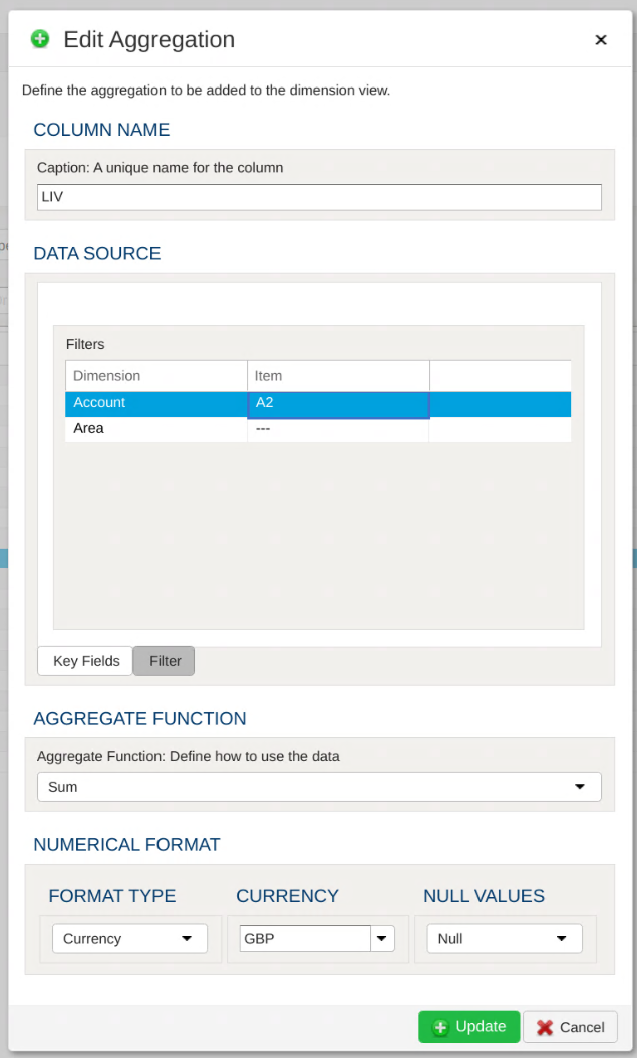
Aggregations can be filtered so that only items matching the filter are displayed. In the following image we have set up the aggregation to show values for a selected item in the ‘Account’ dimension.
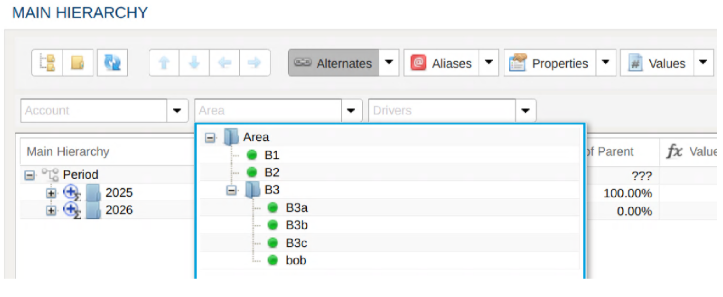
If these filters are left blank then the data can be filtered by using the dimension filter bar at the top of the screen, as can be seen in the following image:
Expressions
Section titled “Expressions”Using Expressions it is possible to display values which are calculated based on values from Aggregations displayed for the dimension. Expressions are built using mathematical formulae, which can contain many kinds of operators, and some special functions. see the list of operators. The functions available are described below
Functions
Section titled “Functions”Column(<column_name>)
Section titled “Column(<column_name>)”Fetch a value from a named column for the current row/node.
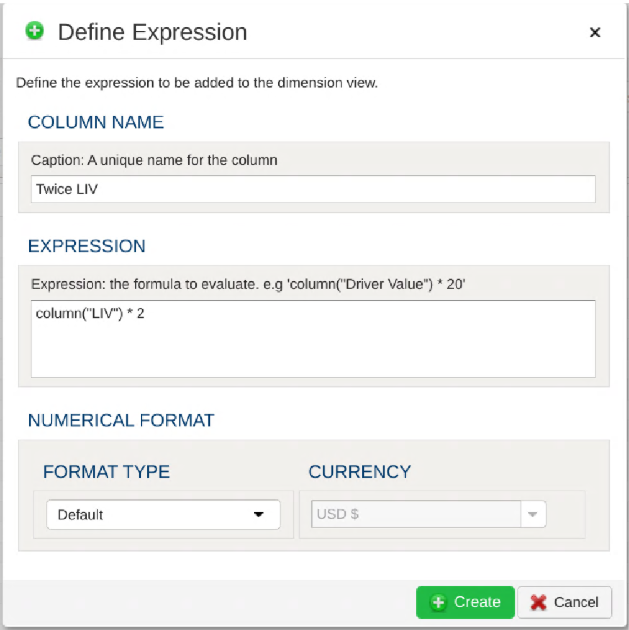
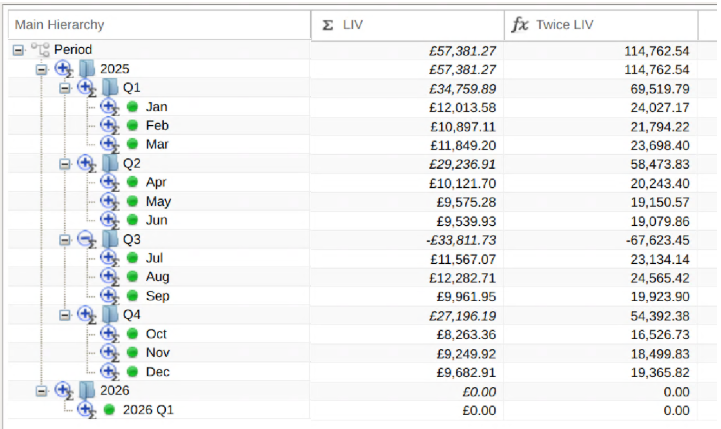
Below we see an example of an Expression being defined to display the result of multiplying the Line Item Value by 2.
Childcount()
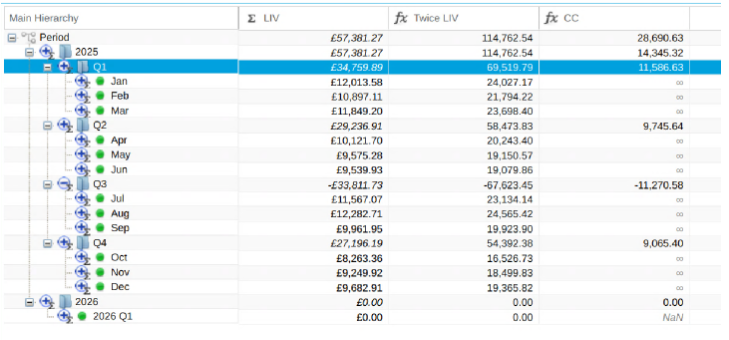
Section titled “Childcount()”Returns the number of children for the current row/node. If the current row/node is a leaf item this will return 0.
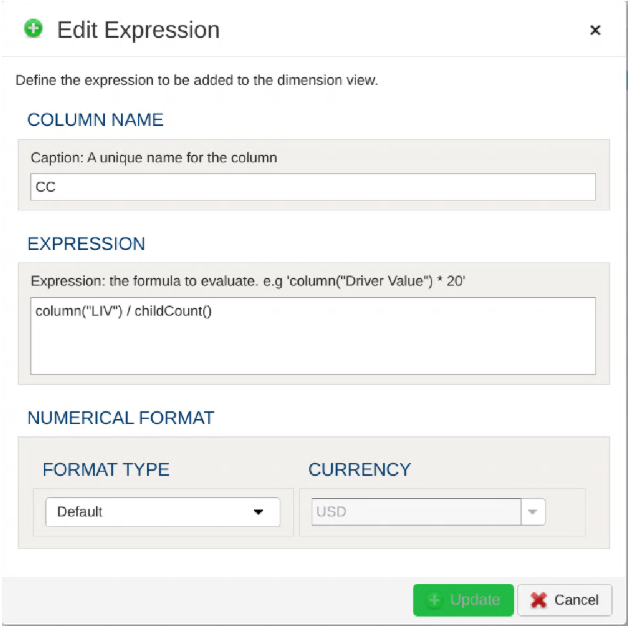
In the following example this is being used to return the average value for the child nodes of a parent node.
Leafcount()
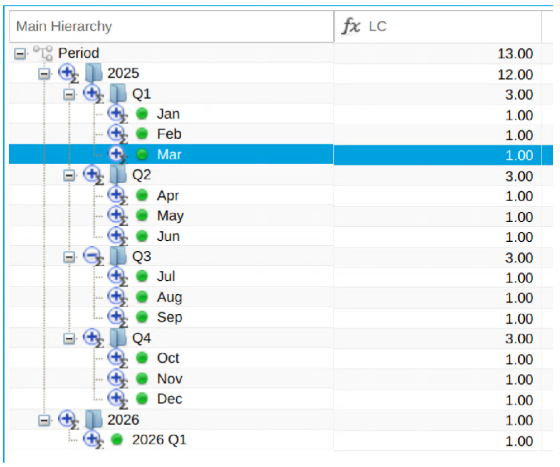
Section titled “Leafcount()”Returns the number of leaf items found in the tree for the current row/node. If the current row/node is a leaf item this will return 1.
Descendantcount()
Section titled “Descendantcount()”Returns the total number of items found in the tree for the current row/node. If the current row/node is a leaf item this will return 0.
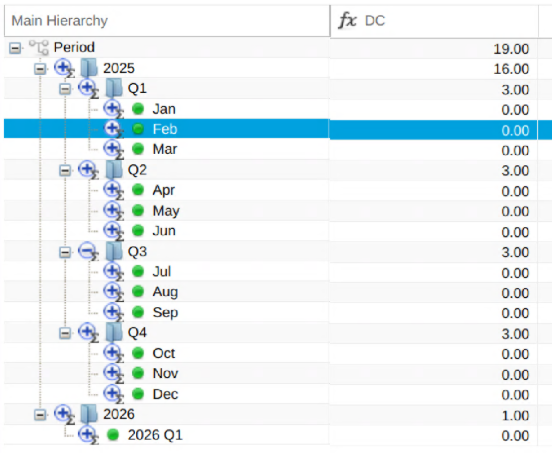
Siblingcount()
Section titled “Siblingcount()”Returns the number of sibling items for the current row/node. The value returned includes the current node.
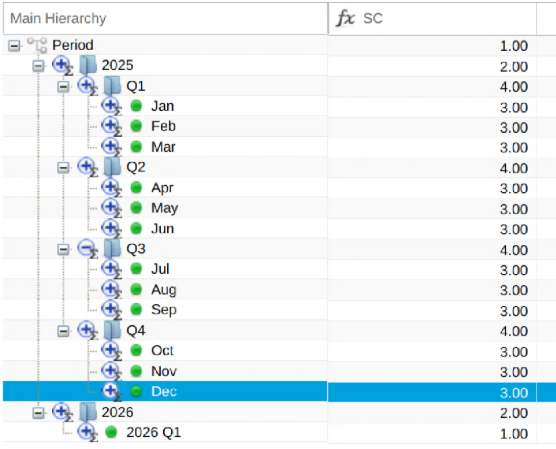
Nodevalue(“<node_name>”,“<column_name>”)
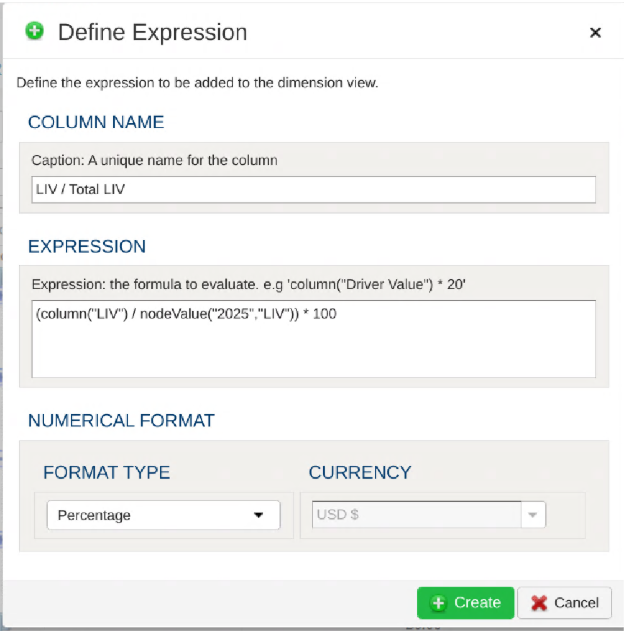
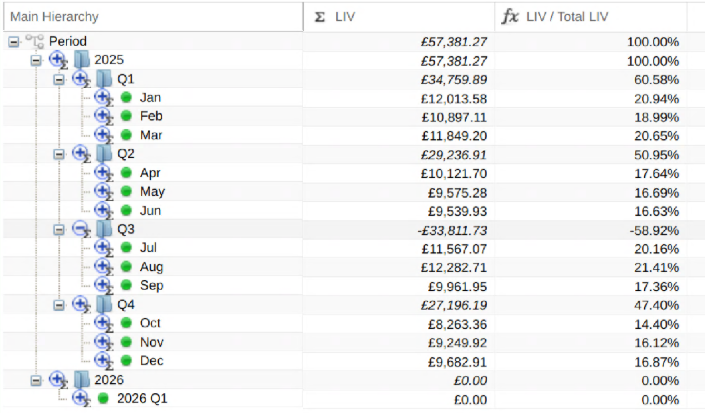
Section titled “Nodevalue(“<node_name>”,“<column_name>”)”Returns the value from a named column for a named node. Here’s an example which is used to show the percentage of the “LIV” total for each row/node.
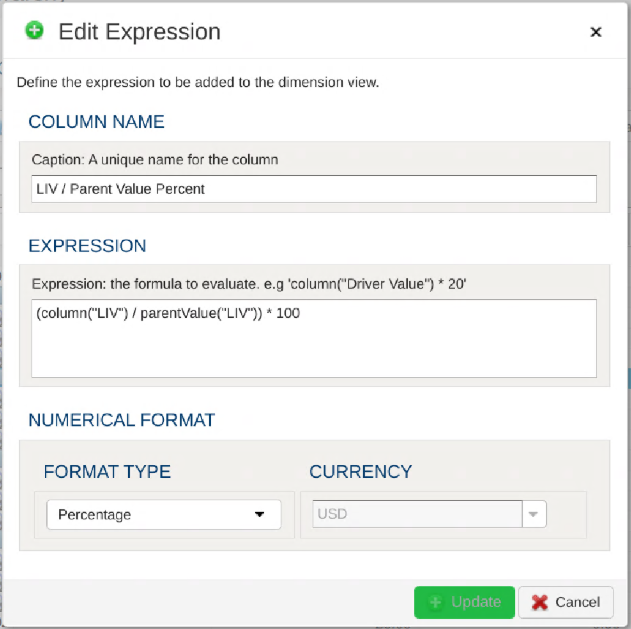
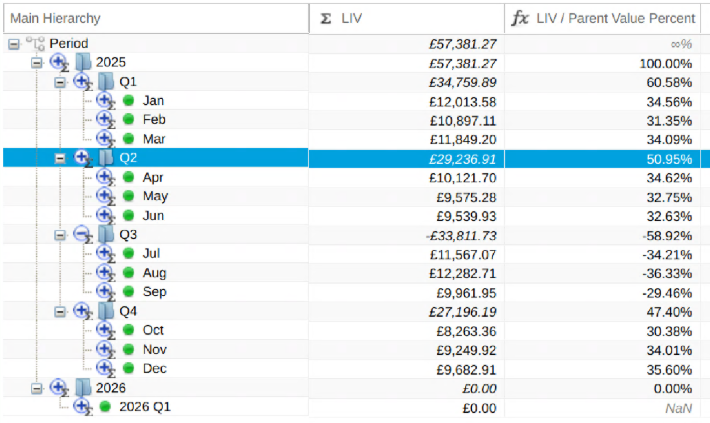
Parentvalue(“<column_name”)
Section titled “Parentvalue(“<column_name”)”Returns the value from a given column for the parent of the current node. This example shows the percentage of the value from a parent node being used by a child node.
Columntextcompare(“<column_name”, “<text>”)
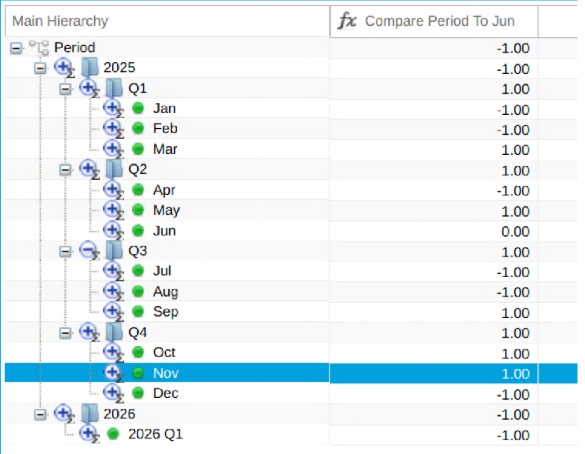
Section titled “Columntextcompare(“<column_name”, “<text>”)”Returns a numerical result representing if the text in a named column is greater than, less to, or equal to a provided value.
If the text from the column equals the provided text then this function returns 0.
If the text from the column is less than the provided text then this function returns -1.
If the text from the column is greater than the provided text then this function returns 0.
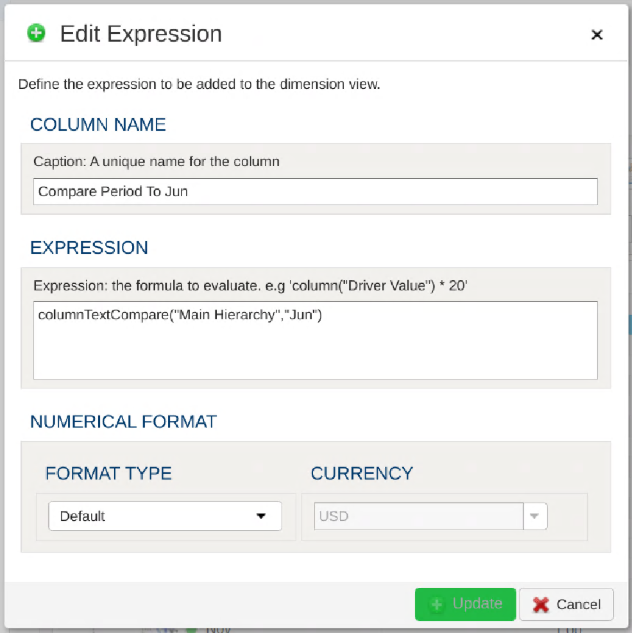
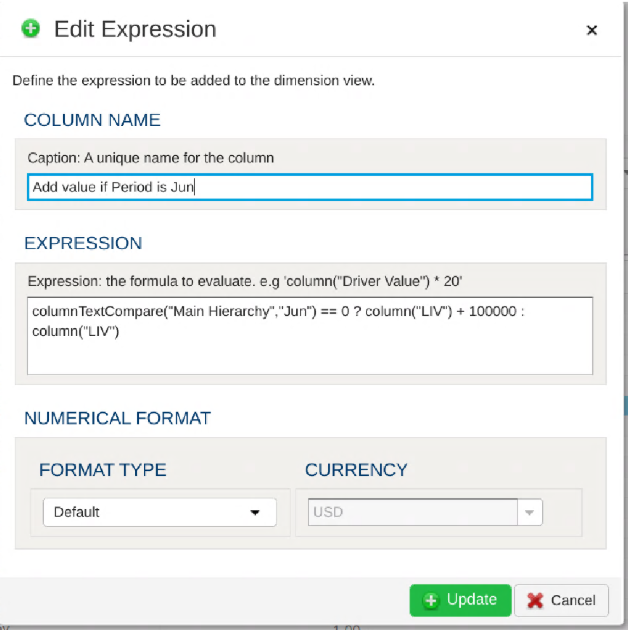
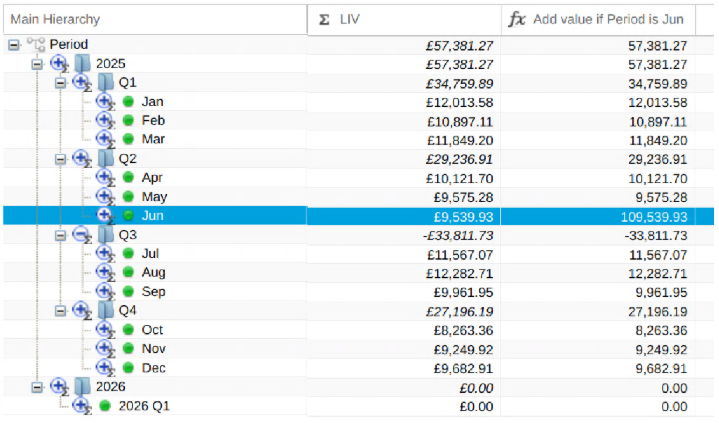
The following example compares the name of the Period to “Jun”
Conditional Expressions
Section titled “Conditional Expressions”The examples shown above are fairly simplistic. By using conditionals within expressions it is possible to create more complex expressions.
Within Expressions conditionals take the following form:
<condition> ? <value_if_true> : <value_if_false>
e.g ‘12 > 6 ? 1000: 0’
By combining expressions containing both conditionals and functions we can build more complex expressions, such as this example where 100,000 is added to a Line Item Value if the month is “Jun”
Another Example: Simple Allocation
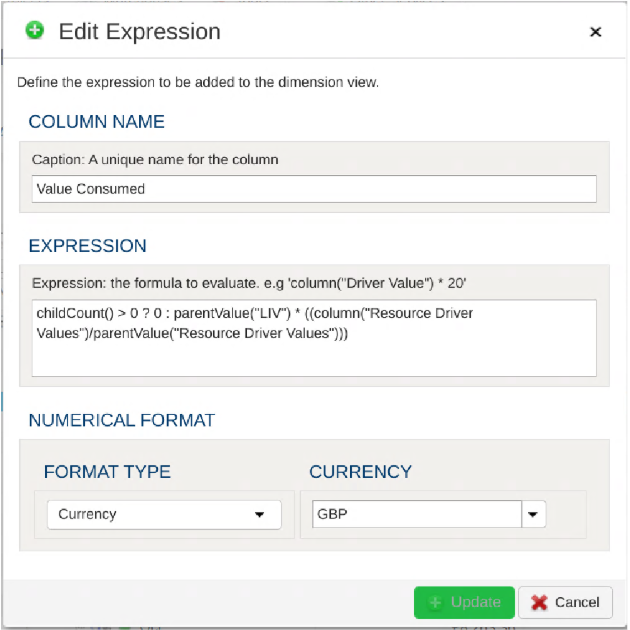
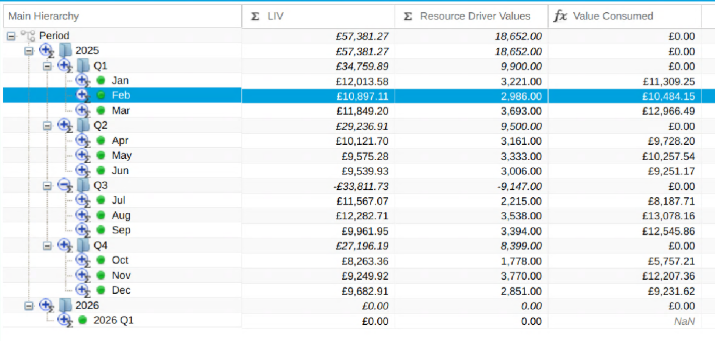
Section titled “Another Example: Simple Allocation”This example shows the amount of a parent’s Line Item Value consumed by using the Resource Driver Value for a leaf node.
Limitations:
Section titled “Limitations:”It is currently not possible to build Expressions which are based on values from other Expressions. Expressions can only be built using values from Aggregations.