

Workflow Explorer
To view the details within a workflow, find it in the project and then double click on it to open up the workflow in the explorer.
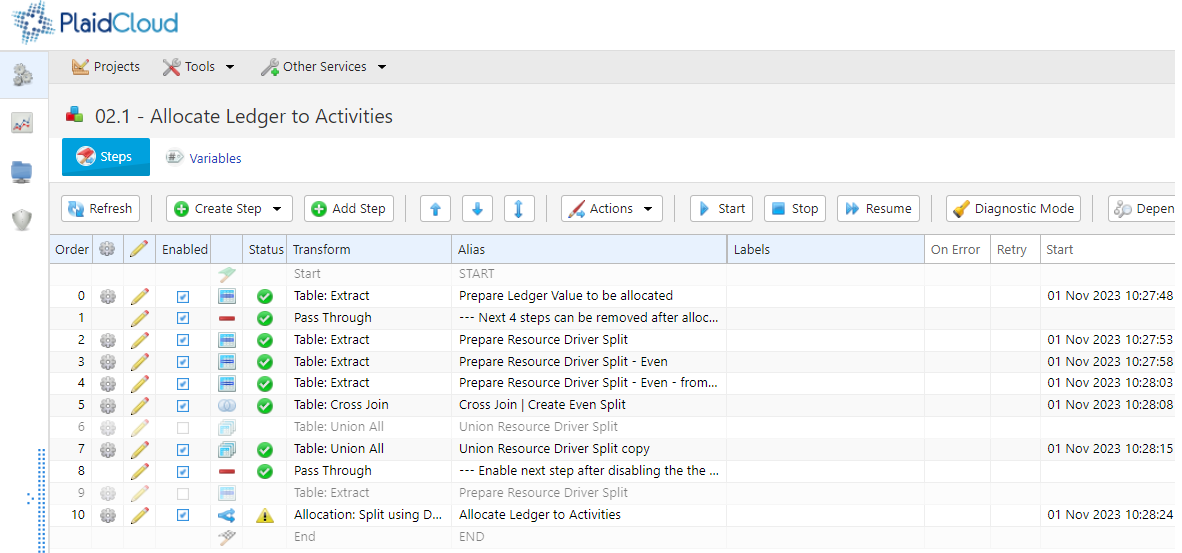
From here, you can manage Workflow Steps including creating or modifying existing workflow steps, changing the order, executing steps, and so on.
Create a Step
Section titled “Create a Step”Click Create Step and choose a step type. If one step is selected in the list, a new Table Extract, Table Inner Join, Table Outer Join, Table Anti Join, Table Cross Join or Table Lookup step starts from the table that step writes: it becomes the new step’s source (Table 1 for a join), and the columns are filled in as Inspect Source would fill them. A note at the bottom of the form says so. Change the source if the new step should read something else. Nothing is saved until you save the step.